
In the digital age, having a reliable internet connection is not just a luxury—it’s a necessity. From working from home and attending virtual classes to streaming movies and gaming, our internet connectivity plays a pivotal role in how we interact with the world. T-Mobile Home Internet is a solution that promises fast, reliable, and affordable internet for your home. But does it live up to the hype? In this comprehensive guide, we’ll dive into everything you need to know about T-Mobile Home Internet, from its benefits to its setup process and how it compares to other internet providers.
What is T-Mobile Home Internet?
T-Mobile Home Internet is a service designed to offer high-speed internet access to residential customers using T-Mobile’s 4G and 5G networks. Unlike traditional broadband providers, T-Mobile offers a wireless home internet service that doesn’t require the installation of cables or wiring. The service uses T-Mobile’s robust cellular infrastructure to deliver internet directly to your home. It’s a modern solution to the traditional, often restrictive, methods of getting internet service, such as cable or fiber optic connections.
How Does T-Mobile Home Internet Work?
T-Mobile Home Internet works by utilizing T-Mobile’s expansive 4G LTE and 5G networks to provide high-speed internet directly to your home. All you need is a T-Mobile 5G Gateway—a small device that acts as the hub for your internet connection. The gateway connects to T-Mobile’s nearest tower, and the device then broadcasts the internet signal throughout your home.
Once the gateway is set up, you can connect devices through Wi-Fi, just like with any other home internet service. The service is designed to be plug-and-play, meaning you don’t have to worry about professional installation or complicated setup processes.
T-Mobile Home Internet Speeds: What to Expect
One of the biggest selling points of T-Mobile Home Internet is its speed. With access to T-Mobile’s advanced 4G and 5G networks, customers can enjoy speeds that rival traditional cable and fiber-optic internet providers. In most areas, you can expect download speeds ranging from 35 Mbps to 100 Mbps, with some locations offering speeds upwards of 200 Mbps on 5G connections.
While these speeds may vary depending on your location and the availability of 5G coverage, they are more than sufficient for most household needs, such as streaming HD videos, online gaming, working remotely, and video conferencing.
T-Mobile Home Internet Coverage: Is It Available in Your Area?
Before deciding if T-Mobile Home Internet is the right choice for you, it’s essential to check whether the service is available in your area. T-Mobile is rapidly expanding its 5G network, but availability is still limited in certain locations.
You can easily check whether T-Mobile Home Internet is available in your area by visiting the T-Mobile website and entering your zip code. If the service isn’t available yet, T-Mobile’s expansion of its 5G network is happening at a fast pace, so it may be available soon.
Benefits of Choosing T-Mobile Home Internet
T-Mobile Home Internet comes with a range of benefits, especially for those who are tired of the traditional internet provider model. Here are just a few reasons why you might want to consider T-Mobile for your home internet needs:
1. No Data Caps
Unlike many traditional ISPs, T-Mobile Home Internet does not have data caps. This means you can stream, game, and browse without worrying about overage charges or throttled speeds once you hit a data limit.
2. Simple Pricing Structure
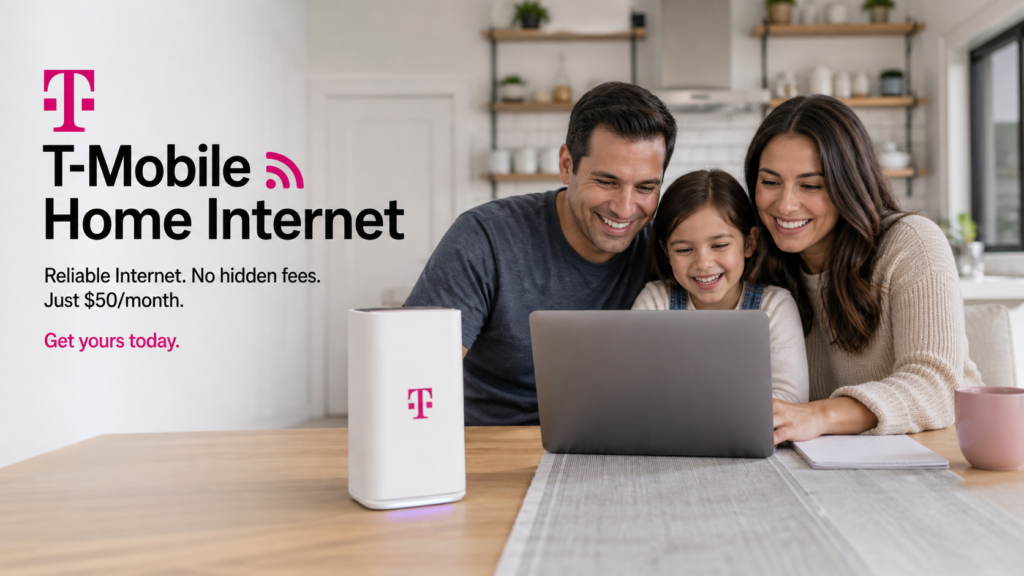
T-Mobile Home Internet offers a simple pricing model—there are no hidden fees, and the monthly cost is typically around $50, which is quite affordable compared to other broadband providers. What you see is what you pay, and there are no surprise charges or promotional pricing that expires after a few months.
3. Wireless Setup
T-Mobile Home Internet is entirely wireless, meaning you won’t need to deal with tangled cables or technicians drilling holes in your walls. Once the gateway device is set up, you’re good to go.
4. Flexible Contracts
T-Mobile does not lock you into long-term contracts. If you’re unhappy with the service, you can cancel at any time without penalty. This flexibility is especially appealing to renters or anyone who may be moving soon.
5. No Hidden Fees
Many traditional ISPs charge hidden fees for things like installation, equipment rental, and maintenance. With T-Mobile Home Internet, you won’t have to worry about any of those costs. The only cost you pay is the monthly fee for the service.
T-Mobile Home Internet vs. Other Internet Providers: How It Stacks Up
When comparing T-Mobile Home Internet to other major internet providers, several factors come into play, including speed, cost, and customer service. Here’s a quick rundown of how T-Mobile’s home internet stacks up against traditional ISPs:
1. Cost Comparison
T-Mobile Home Internet offers a simple and affordable pricing structure. Many traditional ISPs, such as Comcast and Spectrum, have monthly fees that start at around $60 to $80. With T-Mobile, you’ll be paying $50 a month for your internet, and that includes everything—no additional fees for equipment or installation.
2. Speed Comparison
T-Mobile’s speed depends heavily on where you live. In urban areas with strong 5G coverage, you’ll enjoy faster speeds, sometimes even exceeding those of traditional broadband connections. In rural areas where 5G is still being rolled out, speeds may be lower but still sufficient for most activities.
Traditional ISPs offer more consistent speeds, particularly with fiber-optic connections, which can deliver speeds up to 1 Gbps or higher. However, these services often come with higher monthly costs and long-term contracts.
3. Customer Service Comparison
T-Mobile has a reputation for strong customer service, especially when it comes to its wireless services. While traditional broadband providers like Comcast and AT&T have been criticized for poor customer service, T-Mobile is often praised for its friendly and accessible support team.
Setting Up T-Mobile Home Internet: A Step-by-Step Guide
Setting up T-Mobile Home Internet is a breeze, and it doesn’t require any technical expertise. Here’s a step-by-step guide to help you get started:
Step 1: Check Availability
The first step is to make sure T-Mobile Home Internet is available in your area. Simply enter your zip code on the T-Mobile website to check availability.
Step 2: Order the 5G Gateway
Once you’ve confirmed availability, order the 5G Gateway. You can either purchase it outright or sign up for the service, and T-Mobile will send the device to your home.
Step 3: Connect the Gateway
When the device arrives, plug it into a power outlet and follow the instructions in the user manual to set it up. You’ll need to connect the gateway to your Wi-Fi network using the provided password.
Step 4: Start Using the Internet
Once your gateway is set up, you’re ready to start using the internet. Simply connect your devices to the Wi-Fi network, and you’re good to go. It’s that simple.
T-Mobile Home Internet: Is It Right for You?
T-Mobile Home Internet is an excellent option for people who want an affordable, flexible, and reliable internet service. If you live in an area with good 5G coverage, you’ll enjoy fast speeds and minimal downtime. The no-contract, no-hidden-fee structure makes it a great choice for renters or anyone who doesn’t want to be tied down by long-term commitments.
However, if you live in a rural area where 5G coverage is limited, you may experience slower speeds. In such cases, it may be better to stick with a traditional broadband provider that can offer more consistent speeds.
Conclusion
T-Mobile Home Internet is revolutionizing the way people access the internet at home. With fast speeds, reliable coverage, and an affordable price tag, it’s an excellent option for most households. While it may not be the right choice for everyone—especially those in rural areas—it offers an impressive service for those who are eligible. If you’re looking for a simple, flexible, and affordable home internet solution, T-Mobile Home Internet is definitely worth considering.